What Is the Samsung Ecosystem and Why Are More Users Building Their Digital Life Around It?
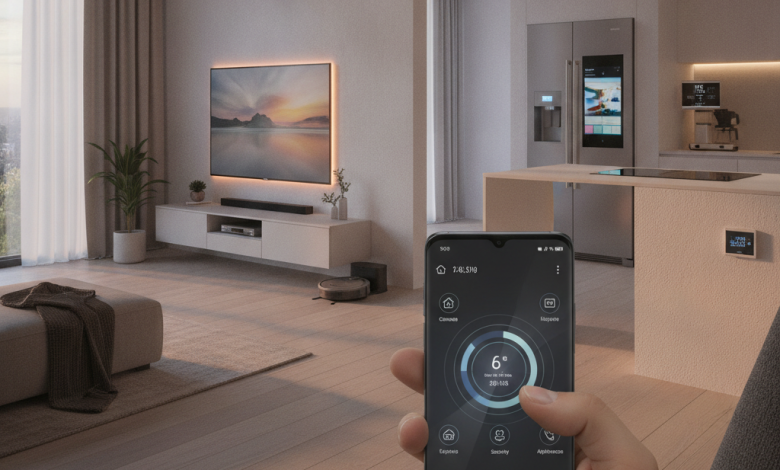
The Samsung ecosystem is the connected network of Samsung devices, apps, services, and smart features that work together to create a more seamless digital experience. In this article of Samsung On Top we say more about it.
Instead of using a phone, tablet, watch, TV, earbuds, laptop, or appliance as separate products, Samsung allows many of these devices to communicate with each other, share information, continue tasks, and support daily routines across one connected environment.
For many users, this connected Samsung experience has become one of the biggest reasons to stay with Galaxy devices. A Galaxy phone can connect with a Galaxy Watch, Galaxy Buds can switch between devices, a Samsung tablet can work as a second screen, a Samsung TV can mirror content from a phone, and SmartThings can control home appliances from one app.
This is what makes the Samsung ecosystem important. It is not only about owning several Samsung devices. It is about how those devices work together in everyday life.
What Is the Samsung Ecosystem?
The Samsung ecosystem is a group of hardware, software, services, and cloud features designed to work together across Samsung products. It includes Galaxy smartphones, Galaxy tablets, Galaxy Watch, Galaxy Buds, Samsung TVs, Galaxy Book laptops, SmartThings devices, smart appliances, Samsung accounts, One UI features, Samsung Cloud services, and connected apps.
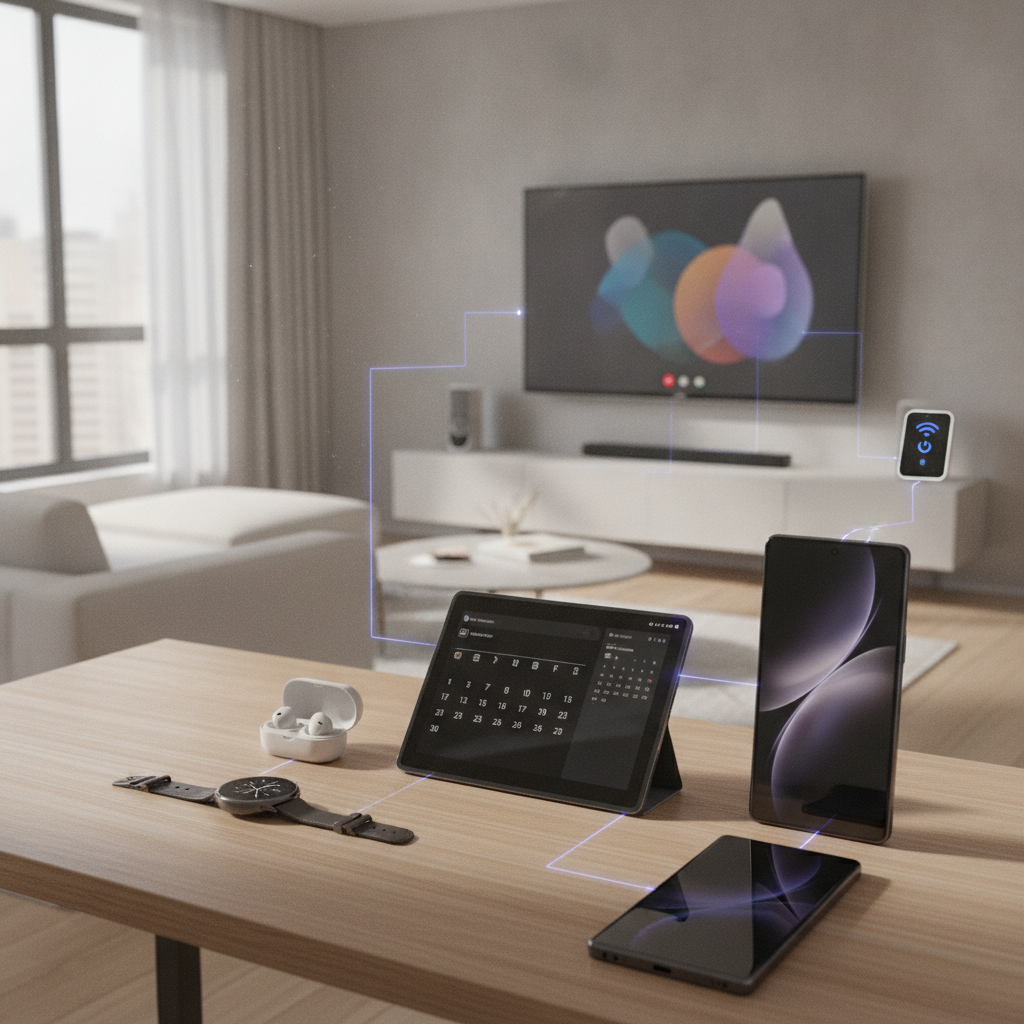
At the center of this ecosystem is usually a Galaxy phone. The phone acts as the main control point for communication, settings, files, media, payments, health data, notifications, and smart home control. From there, users can connect other Samsung devices and create a more unified digital setup.
For example, a user may receive a call on a Galaxy phone, answer it from a Galaxy Watch, continue reading a note on a Galaxy Tab, watch content on a Samsung TV, and control the air conditioner through SmartThings. These actions may feel separate, but they are connected through Samsung integration.
The Samsung ecosystem is built around convenience. It reduces repeated setup, makes device switching easier, and helps users manage more parts of their digital life from fewer places.
Why the Samsung Ecosystem Matters Today
Modern users no longer rely on one device. A typical person may use a smartphone during the day, wireless earbuds while commuting, a smartwatch for fitness, a tablet for reading or work, a TV for entertainment, and smart home devices for comfort and security.
The problem begins when these devices do not work well together. Users may need separate accounts, separate apps, repeated Bluetooth pairing, manual file transfers, duplicated notifications, and different settings on each device. This creates friction.
Samsung tries to solve this problem through ecosystem based design. When Samsung devices are connected to the same Samsung account and supported apps, they can share features more naturally.
This matters because people want technology that saves time. A strong ecosystem helps users move between tasks without starting over. It also makes advanced features easier to use because the devices already understand each other.
Main Parts of the Samsung Ecosystem
The Samsung ecosystem includes many product categories. Each category has its own role, but the real value appears when they are used together.
Galaxy Smartphones
Galaxy smartphones are the foundation of the Samsung ecosystem. Devices such as the Galaxy S series, Galaxy Z series, and Galaxy A series give users access to One UI, Samsung apps, Galaxy AI features, SmartThings, Samsung Health, Samsung Wallet, Samsung DeX, Quick Share, and connected device controls.
A Galaxy phone can connect to Galaxy Watch, Galaxy Buds, Galaxy Tab, Samsung TVs, Windows PCs, smart appliances, and many third party smart home devices. Because of this, the phone often becomes the main hub for personal technology.
Galaxy phones are also important because they carry the Samsung account. This account connects user data, settings, purchases, health records, backups, and device preferences across Samsung services.
Galaxy Tablets
Galaxy tablets expand the Samsung experience into a larger screen. They are useful for reading, note taking, drawing, video calls, entertainment, work, and multitasking.
A Galaxy Tab can sync notes with a Galaxy phone, receive calls and messages from the phone, share files with Quick Share, connect with Galaxy Buds, and work with Samsung DeX for a desktop like interface. Some Samsung tablets can also act as a second screen for supported Galaxy Book laptops.
For students, remote workers, designers, and content consumers, Galaxy tablets make the ecosystem more flexible. They allow users to continue tasks on a bigger display without leaving the Samsung environment.
Galaxy Watch
Galaxy Watch plays a major role in health, fitness, notifications, calls, and quick controls. It connects closely with Galaxy phones through Samsung Health, wearable settings, watch faces, app notifications, and activity tracking.
Users can track workouts, monitor sleep, check heart rate, receive messages, control music, find their phone, manage alarms, and use supported apps from the wrist. This makes the watch more than a simple accessory.
The value of Galaxy Watch increases when it is connected to a Galaxy phone. Data becomes easier to manage, notifications feel more consistent, and health insights become part of the wider Samsung experience.
Galaxy Buds
Galaxy Buds are Samsung wireless earbuds designed for music, calls, gaming, video, and daily communication. Inside the ecosystem, they can pair quickly with Galaxy phones, tablets, watches, and supported Samsung TVs.
Some Galaxy Buds models support features such as active noise cancellation, ambient sound, 360 audio, voice controls, and automatic switching between compatible Samsung devices. For example, a user may watch a video on a Galaxy Tab and then answer a call from a Galaxy phone without manually reconnecting the earbuds.
This type of Samsung integration makes audio feel less complicated. The earbuds become part of a wider connected experience instead of working as a separate Bluetooth product.
Samsung TVs and Monitors
Samsung TVs and smart monitors are also part of the ecosystem. They can connect with Galaxy phones, tablets, Galaxy Buds, SmartThings, Samsung accounts, and streaming services.
Users can mirror their phone screen to a Samsung TV, cast photos and videos, use SmartThings as a remote control, connect Galaxy Buds for private listening on supported models, and manage smart home devices from the TV interface.
Samsung TVs also support features that connect entertainment with mobile devices. This is useful for people who want to move content from a small screen to a larger screen without a complicated setup.
Galaxy Book Laptops
Galaxy Book laptops connect Samsung mobile devices with Windows based productivity. They are designed for users who want a laptop experience that works better with Galaxy phones and tablets.
Through supported features, users can share files, sync messages, use mobile apps, connect Galaxy Buds, use a tablet as a second screen, and continue certain tasks between devices. This helps bridge the gap between mobile and desktop work.
For users who already use Samsung phones and tablets, a Galaxy Book can make the ecosystem feel more complete.
SmartThings and Smart Home Devices
SmartThings is one of the most important parts of the Samsung ecosystem. It allows users to connect, control, and automate smart home devices from one app.
SmartThings can work with Samsung appliances, smart TVs, lights, sensors, cameras, thermostats, plugs, locks, and many compatible third party products. Users can create routines, monitor devices, receive alerts, and control home settings from a Galaxy phone, tablet, watch, or TV.
For example, a user can create a routine that turns off lights, adjusts the thermostat, locks the door, and starts a security mode at night. Another routine can turn on the air conditioner before the user arrives home.
SmartThings turns the Samsung ecosystem from a device network into a lifestyle platform.
Samsung Appliances
Samsung smart appliances include refrigerators, washing machines, dryers, ovens, air conditioners, vacuum cleaners, and other connected home products. When linked through SmartThings, these appliances can send alerts, receive commands, and become part of automated routines.
A washing machine can notify a phone when the cycle is done. A refrigerator can help manage food related features in supported models. An air conditioner can be controlled remotely. A robot vacuum can be scheduled from the SmartThings app.
This is one of the areas where Samsung has an advantage. The company does not only make phones and tablets. It also makes many of the home products that people use every day.
Key Features That Connect Samsung Devices
The Samsung ecosystem works because of several shared features and services. These tools help devices communicate, share data, and support smoother workflows.
Samsung Account
A Samsung account is the identity layer of the ecosystem. It connects devices, settings, services, backups, SmartThings, Samsung Health, Samsung Wallet, Find My Mobile, and other Samsung features.
When users sign in with the same Samsung account on multiple devices, they can access more connected features. This account based connection is what allows Samsung devices to recognize the same user across different screens and products.
One UI
One UI is Samsung mobile software interface. It runs on Galaxy phones and tablets and also influences the design of Galaxy Watch and other Samsung experiences.
One UI includes many ecosystem features such as Quick Share, Modes and Routines, Samsung DeX, connected device controls, cross device continuity, call and message sync, and privacy settings.
Because One UI is updated regularly, Samsung can improve ecosystem features over time without requiring users to buy new hardware immediately.
Quick Share
Quick Share is Samsung’s file sharing feature. It allows users to send photos, videos, documents, and other files between Galaxy devices and supported devices quickly.
Instead of using email, messaging apps, or cables, users can share files directly. This is especially useful between Galaxy phones, tablets, and laptops.
Quick Share is one of the most practical Samsung ecosystem tools because file transfer is a daily need for many users.
Samsung DeX
Samsung DeX allows supported Galaxy phones and tablets to provide a desktop like experience. Users can connect to a monitor, TV, or computer and use apps in a larger workspace.
DeX is useful for productivity, presentations, writing, browsing, file management, and multitasking. It shows how Samsung can extend a mobile device into a more flexible work environment.
For users who want to travel light, DeX can reduce the need to carry a laptop for certain tasks.
SmartThings
SmartThings connects Samsung devices with the smart home. It allows control, automation, monitoring, and routines across many device types.
The strength of SmartThings is that it brings phones, TVs, appliances, sensors, and third party devices into one app. This makes the Samsung ecosystem more useful beyond personal devices.
Samsung Health
Samsung Health connects Galaxy phones and Galaxy Watch devices around fitness, sleep, activity, stress, body composition, and wellness data.
Users can track workouts, review sleep patterns, set goals, and monitor trends over time. For people who use Galaxy Watch daily, Samsung Health becomes one of the most valuable ecosystem services.
Samsung Wallet
Samsung Wallet brings payments, digital IDs, tickets, passes, keys, and other supported items into one app. Availability depends on region and supported services, but the concept is simple: Samsung wants the phone to become a secure everyday wallet.
When combined with Galaxy phones and wearables, Samsung Wallet can make daily transactions and access easier.
Find My Mobile and SmartThings Find
Samsung offers tools for finding lost devices. SmartThings Find can help locate supported Galaxy phones, tablets, watches, earbuds, and other compatible items.
This is important because users often carry multiple connected devices. A strong finding feature makes the ecosystem more reliable and reduces the risk of losing expensive products.
Real Life Examples of the Connected Samsung Experience
The Samsung ecosystem becomes easier to understand through everyday examples. These examples show how Samsung devices can work together in practical situations.
A Morning Routine With Samsung Devices
A user wakes up wearing a Galaxy Watch that has tracked sleep during the night. The watch syncs sleep data to Samsung Health on the Galaxy phone. The phone shows weather, calendar events, reminders, and notifications.
Through SmartThings, the user can turn on lights, adjust the thermostat, start a coffee machine if supported, or check connected appliances. Galaxy Buds can connect quickly for a morning podcast or commute.
In this situation, several Samsung devices support one routine without requiring separate control for each product.
Work and Productivity Across Devices
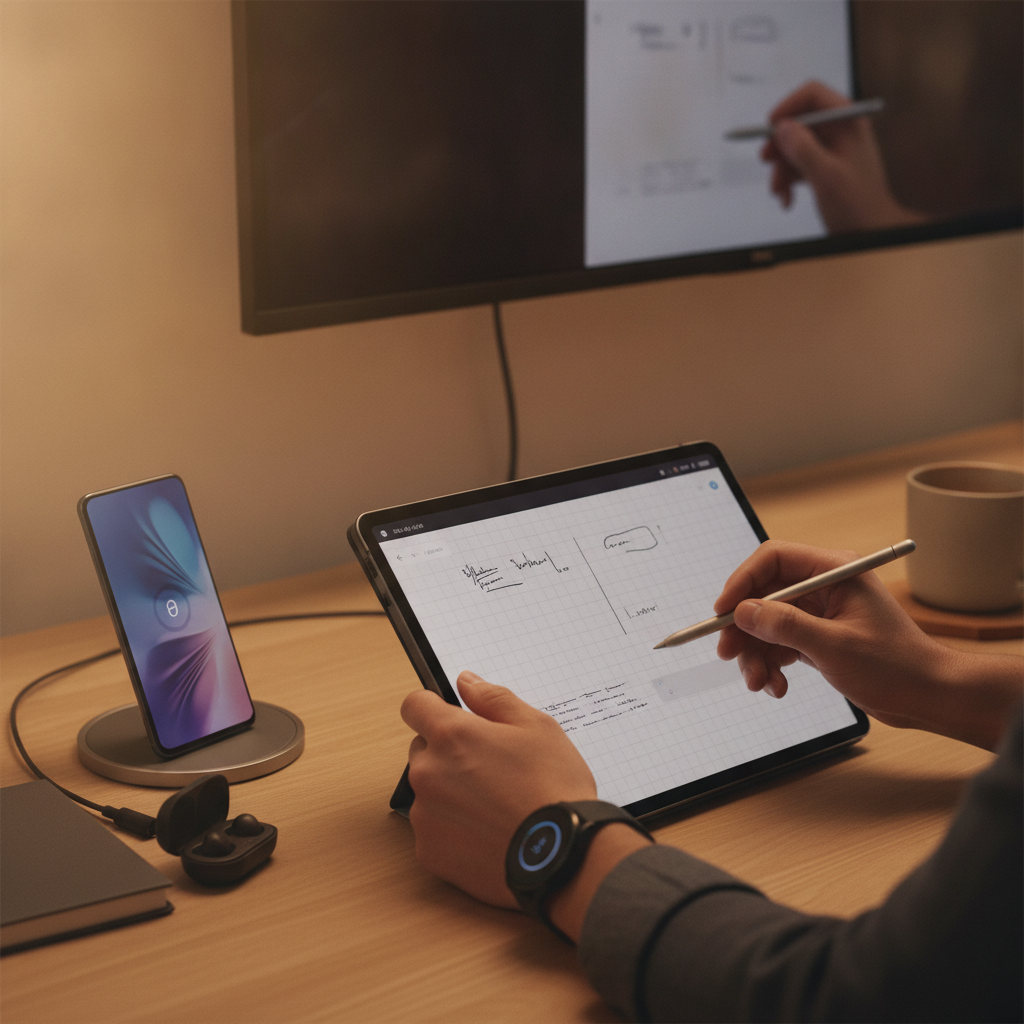
A user starts writing notes on a Galaxy phone, continues on a Galaxy Tab, and later shares files to a Galaxy Book using Quick Share. Galaxy Buds connect for a video call. A Samsung monitor or TV can be used as a larger display. Samsung DeX can turn a phone or tablet into a more desktop like workspace.
This setup is useful for remote workers, students, business users, and people who move between home, office, and travel.
Entertainment at Home
A user watches a video on a Galaxy phone and then mirrors it to a Samsung TV. Galaxy Buds may connect to the TV for private listening on supported models. SmartThings can adjust lights for a better viewing environment.
The same ecosystem can support gaming, streaming, family photo viewing, and music playback.
Fitness and Health Tracking
A Galaxy Watch tracks workouts, heart rate, steps, sleep, and activity goals. The data appears in Samsung Health on the Galaxy phone. Users can monitor progress, review trends, and adjust their routines.
For fitness focused users, the combination of Galaxy Watch, Galaxy phone, and Samsung Health creates a simple wellness system.
Smart Home Control
A user leaves home and receives a notification that a smart appliance is still running. Through SmartThings, they can check status, control supported devices, and create automation. At night, they can activate a routine that turns off lights, locks doors, and adjusts climate settings if compatible devices are installed.
This is where the Samsung ecosystem moves beyond screens and becomes part of the home.
Why More Users Are Choosing the Samsung Ecosystem
The growth of the Samsung ecosystem is connected to several user needs. People want convenience, compatibility, flexibility, and long term value from their technology.
Convenience
The biggest reason users build their digital life around Samsung devices is convenience. When devices work together, daily actions require fewer steps.
Pairing earbuds, sharing files, answering calls, checking health data, controlling appliances, and moving content between screens all become easier inside the ecosystem.
A Wide Range of Devices
Samsung offers one of the broadest product ranges in consumer technology. A user can choose a budget Galaxy A phone, a premium Galaxy S phone, a foldable Galaxy Z device, a Galaxy Tab, a Galaxy Watch, Galaxy Buds, a Samsung TV, a monitor, and smart appliances.
This wide range gives users flexibility. They can enter the ecosystem with one device and expand over time based on their needs and budget.
Strong Android Flexibility
Samsung combines ecosystem features with Android flexibility. Users can access Google services, third party apps, customization options, alternative browsers, different keyboards, and wide app compatibility.
This makes the Samsung ecosystem attractive for users who want connected features without giving up Android openness.
Better Value Over Time
A connected device may become more valuable when it works with other products. For example, Galaxy Buds are useful alone, but they become more practical when paired with Galaxy phones, tablets, and TVs. A Galaxy Watch is useful alone, but it becomes more powerful with Samsung Health and Galaxy phone integration.
This creates long term value because each new Samsung product can improve the usefulness of products the user already owns.
Smart Home Expansion
Samsung has a strong position in smart home technology because of SmartThings and its appliance business. Users who want connected homes may find value in choosing Samsung products that can be managed from one platform.
This makes the ecosystem relevant not only for mobile users, but also for families and homeowners.
Samsung Ecosystem vs Separate Devices
Using separate devices from different brands can still work well, especially when apps are cloud based. However, an ecosystem offers deeper integration.
Separate devices often require more setup, more accounts, and more manual switching. Samsung integration can reduce these steps when products are compatible.
For example, a Galaxy phone and Galaxy Buds can connect more smoothly than random earbuds. A Galaxy Watch works best with Samsung phones. SmartThings can control many home devices from one interface. A Galaxy Tab can sync better with a Galaxy phone than an unrelated tablet in some workflows.
The value is not only in features. It is in the reduced effort between actions.
Possible Limitations of the Samsung Ecosystem
The Samsung ecosystem has many advantages, but users should also understand its limitations.
Some features depend on device model, region, software version, and account settings. Not every Galaxy phone supports every advanced feature. Some Samsung services may be unavailable in certain countries. Some integrations work best only with newer devices.
Users should also consider whether they want to stay mostly inside one brand ecosystem. While Samsung works with many Android and smart home standards, the smoothest experience usually comes from using more Samsung products together.
Another point is cost. Building a full ecosystem with phone, tablet, watch, earbuds, TV, and appliances can be expensive. Many users build it gradually instead of buying everything at once.
These limitations do not remove the value of the ecosystem, but they show why users should choose devices based on real needs.
Who Should Use the Samsung Ecosystem?
The Samsung ecosystem is especially useful for users who already own a Galaxy phone or plan to buy one. It is also a strong option for people who want several connected devices across work, entertainment, health, and home control.
It may be a good fit for:
Galaxy phone users who want better integration
Students who use phones, tablets, and earbuds
Professionals who need mobile productivity
Fitness users who want Galaxy Watch and Samsung Health
Families using Samsung TVs and appliances
Smart home users who want SmartThings control
Android users who want a connected experience
People who prefer one account across several devices
The ecosystem is less necessary for users who only need one basic phone or do not care about connected features. However, even casual users can benefit from simple tools like Quick Share, SmartThings Find, and Galaxy Buds pairing.
How to Start Building a Samsung Ecosystem
Users do not need to buy every Samsung device at once. The best way to start is with the device they use most.
For most people, the first step is a Galaxy smartphone. After that, the next device depends on lifestyle.
A Galaxy Watch is useful for health, fitness, notifications, and quick controls. Galaxy Buds are useful for calls, music, travel, and media. A Galaxy Tab is useful for studying, drawing, reading, and productivity. A Samsung TV improves entertainment and screen sharing. SmartThings devices and appliances expand the ecosystem into the home.
A practical starting path may look like this:
Galaxy phone for the main digital hub
Galaxy Buds for audio and calls
Galaxy Watch for health and notifications
Galaxy Tab for bigger screen productivity
Samsung TV or monitor for entertainment and work
SmartThings devices for home automation
This gradual approach helps users build a connected Samsung experience without unnecessary purchases.
FAQ
What is the Samsung ecosystem?
The Samsung ecosystem is a connected network of Samsung devices, apps, and services that work together. It includes Galaxy phones, tablets, watches, earbuds, TVs, laptops, SmartThings, Samsung Health, Samsung Wallet, and smart appliances.
Which devices are part of the Samsung ecosystem?
The Samsung ecosystem includes Galaxy smartphones, Galaxy Tab tablets, Galaxy Watch, Galaxy Buds, Galaxy Book laptops, Samsung TVs, smart monitors, SmartThings devices, and Samsung smart appliances.
Why is the Samsung ecosystem useful?
The Samsung ecosystem is useful because it makes devices work together more smoothly. Users can share files, sync data, control smart home devices, answer calls, track health, connect earbuds, and move between screens with less effort.
Do I need only Samsung devices to use the Samsung ecosystem?
No, some Samsung services work with non Samsung devices and third party products. However, the best connected Samsung experience usually happens when users combine compatible Samsung devices with the same Samsung account.
Is the Samsung ecosystem good for smart home users?
Yes, the Samsung ecosystem is strong for smart home users because of SmartThings. It can connect phones, TVs, appliances, lights, sensors, and other compatible smart devices into one control and automation platform.
Conclusion
The Samsung ecosystem is more than a collection of devices. It is a connected digital environment built around Galaxy phones, tablets, watches, earbuds, TVs, laptops, appliances, apps, and services. Its main value comes from integration. When Samsung devices work together, users can save time, reduce repeated setup, and create smoother routines across work, entertainment, health, and home life.
More users are building their digital life around Samsung because the ecosystem is broad, flexible, practical, and deeply connected to everyday needs. From Quick Share and Samsung DeX to SmartThings and Galaxy Watch health tracking, Samsung offers tools that help users move between devices with less friction.
For anyone who already owns a Galaxy phone, the Samsung ecosystem can become a practical way to connect personal technology, home devices, entertainment screens, and productivity tools into one more unified experience.